Online Piano Keyboard
A piano, whenever you need one.
Sampled piano and harpsichord. Play with your fingers, a mouse or your computer keyboard.

SETTINGS
In the iOS & Android app
- Instrument
- Organ, celesta, strings, 808

- Layout
- Portrait, up to nine octaves
- Note labels
- Letters or solfège
IN THE iOS & ANDROID APP
What the app adds
- Six instruments
- Organ, celesta, strings and an 808 kit, as well as piano and harpsichord.
- Portrait layout
- Vertical keys, scrolling across up to nine octaves.
- Note labels
- Letter names or solfège.
The apps are free to download, with an optional yearly subscription.


Play it
When a screen piano is enough
Not everything needs weighted keys. Checking a voicing, finding a starting note or showing a scale to a room all work fine on glass.
Sampled, not synthesized.
The piano and harpsichord come from a real soundfont, so a held chord decays like an instrument instead of humming like an oscillator.
Ten fingers, and it follows them.
Every touch is tracked separately and slides as you move, so glissandos and full voicings work on a phone.
The same colors as every other tool.
Keys light up by note name, so a voicing you work out here looks the same on the pitch graph.
In the iOS & Android app
Even better in the app
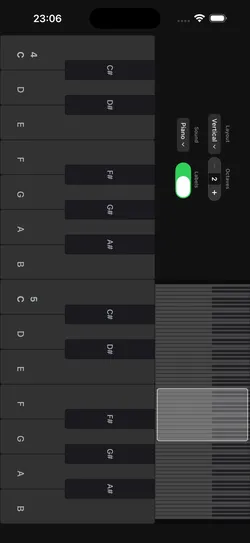
- Six instruments
- Organ, celesta, strings and an 808 kit, as well as piano and harpsichord.
- On the web: piano and harpsichord
- Portrait layout
- Vertical keys, scrolling across up to nine octaves.
- On the web: horizontal keys
- Note labels
- Letter names or solfège.
- On the web: letter names
The apps are free to download, with an optional yearly subscription.
One musical toolkit
10 tools for musicians.
Analyze what you play, make sound, train your ear. The app groups them the same way.
Analyze
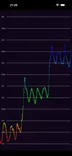 Pitch Diagram
Real-time pitch graph. See every note you sing or play.
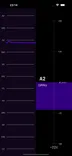 Tuner
TunerChromatic tuner with cents and a pitch history.
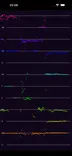 Pitch Spectrogram
See every note in a chord at once.
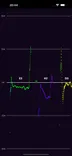 Intonation Tracker
How many cents each note lands off.
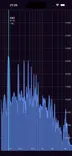 Spectrum Analyzer
Every frequency from 10 Hz to 20 kHz.
Sound
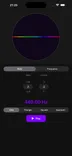 Tone Generator
A steady tone at any note or frequency.
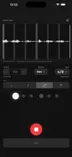 Metronome
A steady click, with your playing drawn against it.
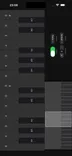 Keyboard
Sampled piano and harpsichord.
Learn
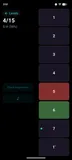 Interval Training
Name scale degrees by ear.
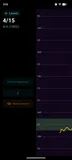 Solfege Trainer
Sing scale degrees in key. App only.