
Pitch Spectrogram
Every note at once.
Play a chord, a record or a choir and see each note that’s sounding, colored by note name.


Ready for your first note.
Press Start, allow your microphone, then play a chord or a song.
 Start
StartYour audio stays on this device. The browser asks for the mic only when you press Start.
SETTINGS
In the iOS & Android app
- Notes shown
- Only the ones played

- View
- Full range or one octave
- Look
- Grid lines or piano roll
- Reference
- A4 = 440 Hz
- Transposition
- C
IN THE iOS & ANDROID APP
What the app adds
- Only the notes you play
- A different detection algorithm sets the overtones aside. Play a C and you see a C, not also the C, G and E above it.
- Drawn as notes
- The screen reads like music rather than raw frequencies.
- Full range or one octave
- Every octave, or all folded into one.
- Your choice of look
- Grid lines, or a piano-roll background.
- Reference and transposition
- Set your own A4 and transpose the note names.
- Videos up to 5 minutes
- Record a take and render it to video.
- A library of takes
- Save takes and share them with friends who have the app.
The apps are free to download, with an optional yearly subscription.


MIC HELP
If the mic is blocked, click the lock or microphone icon in your browser's address bar, allow the microphone for this site, then reload the page and press Start.
Nothing happens when you play? Check that the right input is selected in your system's sound settings.
Read the colors
What it shows you
Harmony is easier to understand when you watch it happen than when you read a name for it afterwards.
The notes, not a chord name.
A label rounds away the added ninth and the suspended fourth. Every pitch it finds is drawn, so you see what actually made the sound.
Overtones are shown, not filtered out.
The fainter rows are an instrument’s own harmonics. They’re why the same chord sounds warm on one instrument and thin on another.
No song database.
Point it at a record, a piano or a room full of singers. It reads what’s sounding now, rather than matching a track it already knows.
Step by step
How to read a chord
1. Play one chord and hold it.
The brightest rows are the notes you’re playing.
2. Spot the overtones.
Fainter rows a fifth or a third above a strong note usually belong to that note, not to a separate one.
3. Change one note.
Move a single finger and watch which row moves. That’s the voice that changed.
In the iOS & Android app
Focused on the music
The web tool shows the whole sound: the notes and their overtones. The app shows the music: just the notes being played.
- Only the notes you play
- A different detection algorithm sets the overtones aside. Play a C and you see a C, not also the C, G and E above it.
- On the web: notes and their overtones
- Drawn as notes
- The screen reads like music rather than raw frequencies.
- On the web: raw frequencies
- Full range or one octave
- Every octave, or all folded into one.
- On the web: one octave
- Your choice of look
- Grid lines, or a piano-roll background.
- On the web: grid lines
- Reference and transposition
- Set your own A4 and transpose the note names.
- On the web: A4 = 440 Hz, concert pitch
- Videos up to 5 minutes
- Record a take and render it to video.
- On the web: no recording
- A library of takes
- Save takes and share them with friends who have the app.
- On the web: not available
The apps are free to download, with an optional yearly subscription.
Good to know
Questions
- Does it tell me the chord name?
- No, it shows the notes. That’s on purpose: a chord name hides the extensions and the voicing, and the notes don’t.
- Why do I see notes I’m not playing?
- Those are overtones. Every note also sounds at its fifth and its third, more faintly. They show up as weaker rows above the note you played.
- Can it read a song from speakers?
- Yes. Play it near the mic. Loud parts like bass and vocals show more strongly than quiet ones.
- How is it different from Pitch Diagram?
- Pitch Diagram follows one note at a time, like a voice or a melody. The Pitch Spectrogram shows everything sounding together.
One musical toolkit
10 tools for musicians.
Analyze what you play, make sound, train your ear. The app groups them the same way.
Analyze
 Pitch Diagram
Real-time pitch graph. See every note you sing or play.
 Tuner
TunerChromatic tuner with cents and a pitch history.
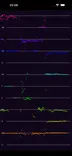 Pitch Spectrogram
See every note in a chord at once.
 Intonation Tracker
How many cents each note lands off.
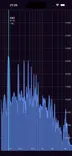 Spectrum Analyzer
Every frequency from 10 Hz to 20 kHz.
Sound
 Tone Generator
A steady tone at any note or frequency.
 Metronome
A steady click, with your playing drawn against it.
 Keyboard
Sampled piano and harpsichord.
Learn
 Interval Training
Name scale degrees by ear.
 Solfege Trainer
Sing scale degrees in key. App only.