
Singing Intonation Tracker
Are you really in tune?
Sing or play and see how far each note lands from the center, in cents, up to half a semitone either side.


Ready for your first note.
Press Start, allow your microphone, then sing or play a note and hold it.
 Start
StartYour audio stays on this device. The browser asks for the mic only when you press Start.
SETTINGS
In the iOS & Android app
- Reference
- A4 = 440 Hz

- Transposition
- C
- Note labels
- Letters
IN THE iOS & ANDROID APP
What the app adds
- Your own reference
- Set A4 to your own reference tuning.
- Transposition
- Shift the note names by up to an octave, for example to read trumpet notes.
- Note labels
- Letter names or solfège.
The apps are free to download, with an optional yearly subscription.


MIC HELP
If the mic is blocked, click the lock or microphone icon in your browser's address bar, allow the microphone for this site, then reload the page and press Start.
Nothing happens when you play? Check that the right input is selected in your system's sound settings.
Read the trace
What changes in your practice
Knowing you sang out of tune isn’t much use on its own. Knowing you always land a few cents flat on the way up is.
Your error has a shape.
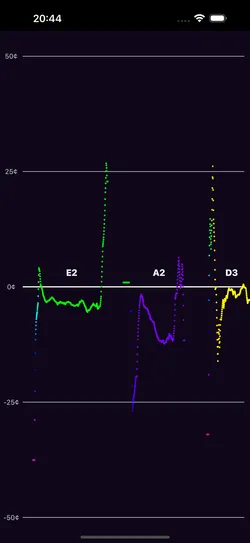
Zoomed to 50 cents either side of the center, the trace shows the scoop at the start of a note, the sag in the middle and the drift at the end.
Held notes label themselves.
Hold a pitch for about half a second and its name is written on the center line. The note you’re on is picked out in gold.
No score and no pass mark.
It doesn’t grade the take or choose your next exercise. It shows what you did and leaves the decision to you.
Step by step
How to test your pitch
1. Get a reference.
Play a note on the Keyboard or the Tone Generator.
2. Sing it and hold it.
Watch whether the line lands on the center, starts low and climbs, or sags as you run out of breath.
3. Find your pattern.
Repeat on a few notes across your range. The labels show which notes drift and in which direction.
In the iOS & Android app
Even better in the app
- Your own reference
- Set A4 to your own reference tuning.
- On the web: A4 = 440 Hz
- Transposition
- Shift the note names by up to an octave, for example to read trumpet notes.
- On the web: concert pitch
- Note labels
- Letter names or solfège.
- On the web: letter names
The apps are free to download, with an optional yearly subscription.
Good to know
Questions
- Is this a pitch test?
- It checks every note you sing, but it doesn’t give you a score. It shows how far off each note is and when, so you can see the pattern yourself.
- How many cents off is out of tune?
- Within about 5 cents sounds in tune to most listeners, and 20 cents or more sounds clearly sharp or flat.
- Why do I go flat on long notes?
- Often because the breath behind the note fades before the note ends. The trace shows exactly when the sag starts, which tells you where to work.
- Does it work for instruments?
- Yes, and it’s at its best there. It was built for a cellist checking arpeggios: play one slowly and you see each note land on the center line, or miss it, with its name written in. It works the same on violin, trombone and any instrument that plays one note at a time.
One musical toolkit
10 tools for musicians.
Analyze what you play, make sound, train your ear. The app groups them the same way.
Analyze
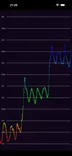 Pitch Diagram
Real-time pitch graph. See every note you sing or play.
 Tuner
TunerChromatic tuner with cents and a pitch history.
 Pitch Spectrogram
See every note in a chord at once.
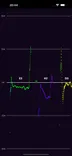 Intonation Tracker
How many cents each note lands off.
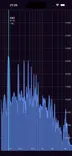 Spectrum Analyzer
Every frequency from 10 Hz to 20 kHz.
Sound
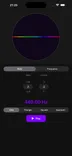 Tone Generator
A steady tone at any note or frequency.
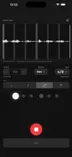 Metronome
A steady click, with your playing drawn against it.
 Keyboard
Sampled piano and harpsichord.
Learn
 Interval Training
Name scale degrees by ear.
 Solfege Trainer
Sing scale degrees in key. App only.