
Online Tone Generator
Exactly the pitch you need.
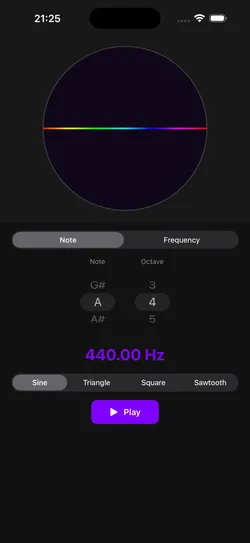
Pick a note or type a frequency, choose a waveform and press play.

SETTINGS
In the iOS & Android app
- Offline
- Works without a connection

- Note labels
- Letters
IN THE iOS & ANDROID APP
What the app adds
- Works offline
- For when you need a pure sine wave in the middle of nowhere.
- Note labels
- Letter names or solfège.
The apps are free to download, with an optional yearly subscription.


Use the tone
What a steady tone is good for
A tone that holds exactly where you put it, for as long as you want it, is more useful than it sounds.
Two decimals, or just a note name.
Type 442.35 Hz when that’s what you need, or pick a note and an octave and let it do the arithmetic.
Change the waveform mid-tone.
Move between sine, triangle, square and sawtooth without stopping, and hear how much of an instrument’s character is just harmonics.
No click when it starts or stops.
A short fade at each end, so a long reference tone won’t spike your speakers or your ears when you press stop.
In the iOS & Android app
The same tool in the app
- Works offline
- For when you need a pure sine wave in the middle of nowhere.
- On the web: needs the page loaded
- Note labels
- Letter names or solfège.
- On the web: letter names
The apps are free to download, with an optional yearly subscription.
One musical toolkit
10 tools for musicians.
Analyze what you play, make sound, train your ear. The app groups them the same way.
Analyze
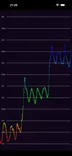 Pitch Diagram
Real-time pitch graph. See every note you sing or play.
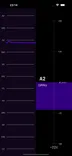 Tuner
TunerChromatic tuner with cents and a pitch history.
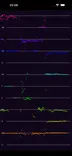 Pitch Spectrogram
See every note in a chord at once.
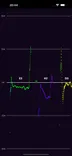 Intonation Tracker
How many cents each note lands off.
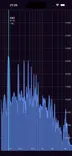 Spectrum Analyzer
Every frequency from 10 Hz to 20 kHz.
Sound
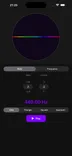 Tone Generator
A steady tone at any note or frequency.
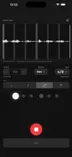 Metronome
A steady click, with your playing drawn against it.
 Keyboard
Sampled piano and harpsichord.
Learn
 Interval Training
Name scale degrees by ear.
 Solfege Trainer
Sing scale degrees in key. App only.